What a photo server is
Google Photos and iCloud do two jobs at once. They take every photo off your phone soon after you take it, and they give you a timeline you can scroll and search. Both charge monthly once your library outgrows the free space, and your photos live on their computers.
A photo server does both jobs from a computer in your own house. The app on each phone uploads new photos and videos in the background, and you browse, search and share them from the phone or a web browser. The photos sit on your own drives, as ordinary files.
Run it yourself, or let someone else host it
This is the choice to make first.
- Run it yourself with Immich if you have, or will have, a computer that stays on. It costs nothing beyond the hardware and electricity, the only storage limit is your drives, and nothing leaves your house.
- Use an encrypted hosted service such as Ente if you’d rather not run a server. Your photos are encrypted on your phone before they’re uploaded, so the company can’t see them, and you pay monthly for space, as with iCloud.
Whichever you choose, keep a second copy somewhere else.
How it works
- The phone app watches the albums you choose and uploads new photos and videos. The first upload of an existing library takes hours, and after that it keeps up in the background. On iPhone, iOS decides when background uploads run, so opening the app now and then helps.
- The server keeps the original files on its drives, makes small previews for fast scrolling, and keeps a database of albums, people and who can see what.
- Machine learning runs on the server itself. It recognises faces and works out what’s in each picture, so you can search for “beach” or “birthday cake”. The first pass over a large library can run overnight or longer.
What it needs
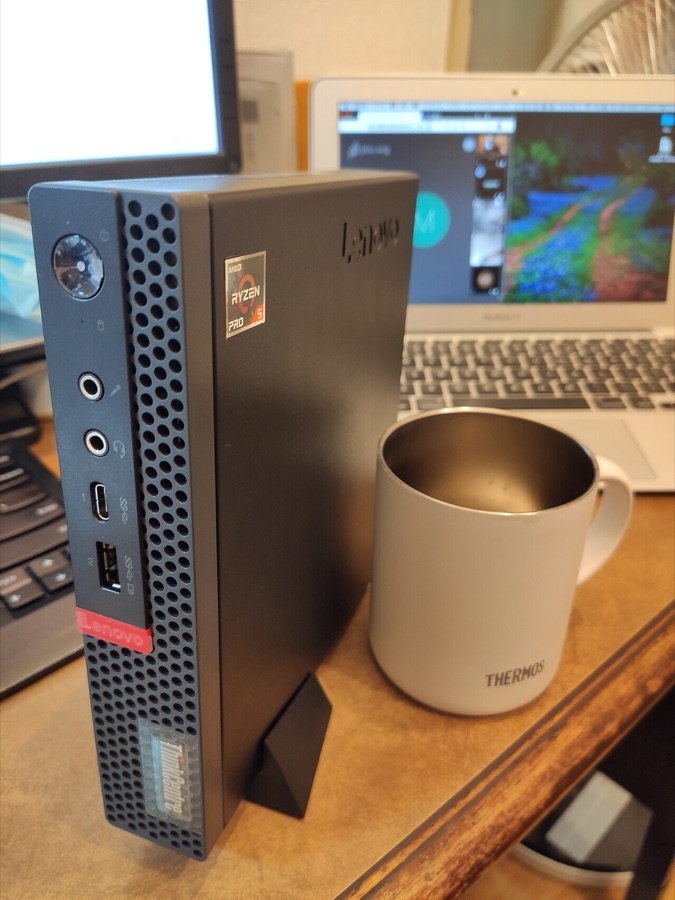
- A computer that stays on. Immich’s own docs ask for at least 6 GB of memory, with 8 GB recommended, and at least two processor cores. A used mini PC with 8 to 16 GB is a comfortable fit.
- Storage for your whole library, plus room to grow. Immich’s previews and converted videos add roughly 10 to 20 per cent on top. Hard drives are fine for the photos, but Immich asks for its database to sit on an SSD inside the same machine where possible, and never on a network share.
- Your phone, with the free Immich app from the App Store or Google Play.
- A second copy somewhere else, because this server becomes the main home of your photos.
How Immich fits in
- Automatic uploads from iPhone and Android, for the albums you choose.
- A timeline of everything, plus “on this day” memories.
- Search by face or by content. Name a person once to find every photo of them, or type “dog in snow” to find matching pictures.
- A map of where photos were taken, from the location saved in each one.
- Albums and sharing. Albums shared with other users, links for people without an account, and partner sharing, which shows a partner’s photos in your own timeline.
- Several users, each with their own library and an optional storage limit.
- Nightly database backups saved into the photo folder, which you can restore from Immich’s web page.
The easy way to set it up
Immich runs in Docker, a way of packaging server apps, but an app store can handle that for you, so you don’t need the terminal. There’s no ordinary Windows or Mac installer, so a home server is the easy route.
- Install Immich from the ZimaOS or CasaOS App Store with one click. TrueNAS has it in its app catalogue too.
- Open its web page from the dashboard and create the first account, which becomes the admin.
- Install the Immich app on your phone, enter the server’s address, the one you see in the browser such as
http://192.168.1.50:2283, and sign in. - Choose the albums to back up and turn on background backup. Leave the phone charging on Wi-Fi overnight for the first upload.
- Add everyone else, each with their own account, from the administration page.
- Set up a second copy of the photo folder, following backups.
The step-by-step guide walks through the ZimaOS route in detail, and has a second tab for Docker Compose on Linux. Its section on which folders to back up applies whichever way you install.
Questions people ask
When can I delete photos from my phone?
Once they’re in Immich and in a backup of Immich somewhere else, and you’ve restored a few from that backup to check. Until then, keep your old cloud plan running as well.
Can I bring my Google Photos or iCloud library across?
Yes. Anything still on your phone uploads through the app, and photos saved on a computer can be uploaded through Immich’s web page. A Google Takeout download is harder, because it keeps dates and albums in separate files. The usual tool for it is immich-go, a free community program. It’s the one step that needs a command: you make an API key (a password for apps) in Immich’s account settings, then run the single line that immich-go’s page gives you.
Does it work away from home?
Yes. Install Tailscale on the server and on your phone, and uploads carry on wherever you are. See remote access.
What should I check before updating?
Read the release notes on Immich’s GitHub page first, however you installed it. Immich releases often, and some releases ask you to change a setting before you update.
How much space will my photos need?
Check how much your current photo service says you’re using, add 10 to 20 per cent for Immich’s previews, and leave room for a few years of new photos.